
AI GPT Generator-Text to Video
AI Tech LabsArt & Design
3.5249.00 Reviews
- Version
- 1.9.5
- Installs
- 10.00M
- Age Rating
- Everyone
Screenshots
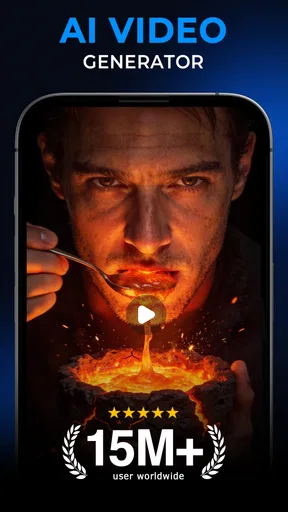
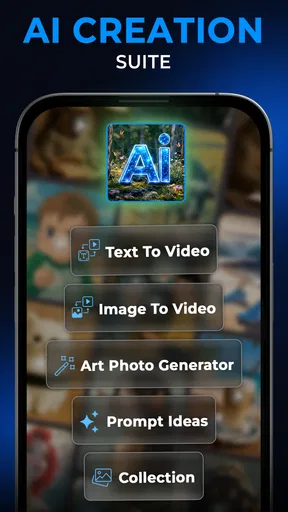
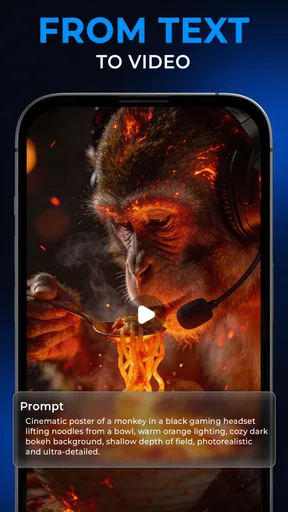
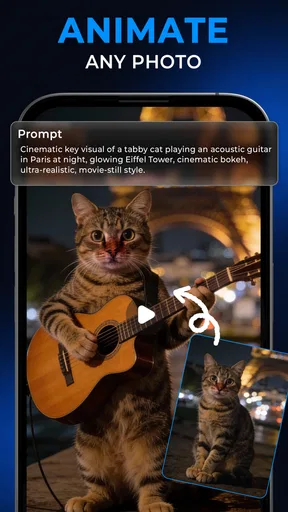
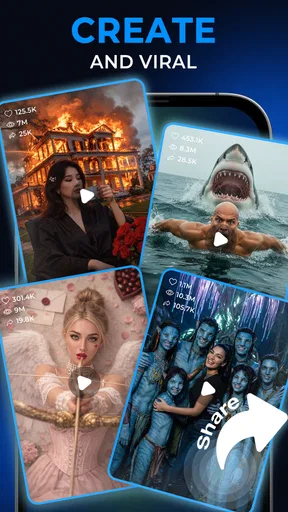
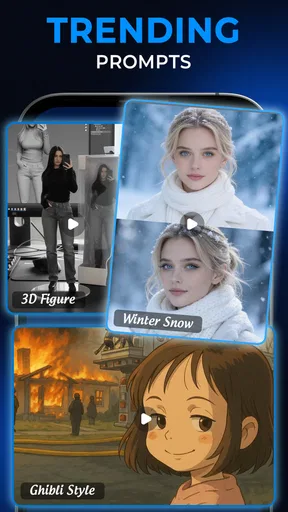
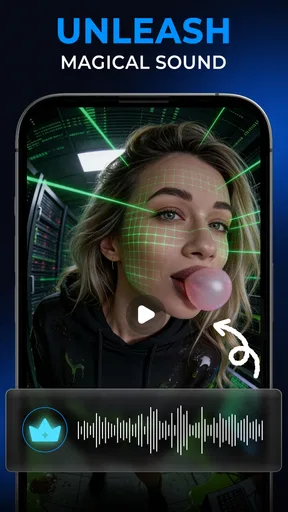
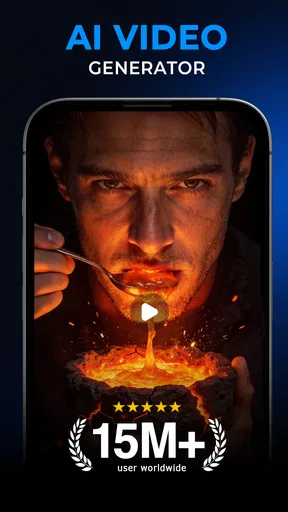
Our Review of AI GPT Generator-Text to Video
 Analysis by Appyee
I like the idea behind AI GPT Generator-Text to Video: start with words and use AI to shape them into visual content, without first learning a full editing workflow. That makes it tempting when I have a rough idea but no footage, design skills, or patience for a long project. The important distinction is that it is a creative starting point, not a substitute for carefully planned filming and editing. How useful it feels depends on the prompt, the result, and whether the generation process fits the network connection and time I have available.
When the connection becomes part of the workflow
AI generation is a request-and-wait kind of task, rather than the instant response I expect from a basic drawing tool. I would plan to use it when I have a reliable connection, especially if I am trying several versions of the same idea. A dropped or slow connection can make a creative session feel stop-and-start, so I would avoid beginning a time-sensitive project just before I need to leave or share the result.
For a smoother session, I would prepare the text before starting a generation. A few clear sentences are easier to revise than a long block of prose, and they let me test whether the central image or mood comes through before investing more effort. I would also keep a copy of my wording outside the app while drafting; that simple habit protects the work from interruptions and makes it easier to reuse a prompt if I need to try again.
The practical question is not only whether a video can be generated, but whether the result is worth the waiting and follow-up editing. I would treat the first output as a visual draft. If it captures the main idea, I can decide what to adjust. If it misses the point, changing the prompt’s focus is often a more useful next step than repeatedly requesting nearly the same version.
Useful in short mobile sessions, with a little planning
This kind of tool makes the most sense on a phone when I have a compact creative task: turning a short story idea into a visual sketch, making a mood piece for a personal project, or testing a concept before committing to a more involved edit. It is less appealing for precise work that depends on exact timing, consistent character details, or frame-by-frame control. For those jobs, a conventional editor gives me clearer control over the result.
A realistic use would be a small business owner on a break who wants to explore a visual direction for a social post. I would write a focused prompt, generate one draft, and judge it for mood and subject rather than expecting a finished campaign asset. If the concept works, I could refine it; if not, I have learned what description needs to change without spending the afternoon editing footage.
Mobile convenience does not erase the trade-off between speed and precision. Text-to-video tools can interpret an idea in ways that feel surprising, but that same flexibility means the output may not match every detail I had in mind. I would use it for exploration and inspiration, then move to a dedicated video editor when a project needs exact cuts, brand consistency, or dependable control over each visual element.
Getting Started with AI GPT Generator-Text to Video
First things first, downloading and installing the app was a breeze on my Android device. I’m pretty sure it’s just as straightforward on iOS too. Once installed, I was greeted with a sleek and intuitive interface. Seriously, even if you’re not a tech wizard, you’ll feel right at home.
The main screen presents you with a clean layout where you can either start a new project or explore some of the app's featured creations. Naturally, I couldn’t resist diving right in to see what this bad boy could do.
How Does It Work?
The core of the AI GPT Generator-Text to Video app is its powerful AI engine. You start by writing a script or story—anything from a short poem to a detailed narrative. It’s like telling a story to a friend, except this friend can turn your words into moving pictures!
Once your text is ready, you hit the magic button, and voila, the app starts generating a video based on your script. It’s quite mesmerizing to watch the AI interpret your words and bring them to life with visuals, music, and even voiceovers if you choose.
Features That Stand Out
One of the features I found particularly impressive is the customization options. You’re not just limited to the AI’s interpretation; you can tweak almost every aspect of the video. Want to change the background music? Easy. Think the visuals don’t quite match your vision? Swap them out for something else. The app gives you the creative freedom to make your project truly yours.
Another cool feature is the library of pre-made templates and themes. Whether you’re looking to create a heartfelt message or a quirky animation, there’s something for everyone. The app's ability to adapt to different styles is a huge plus in my book.
Working around interruptions and refining a draft
If generation stalls or I lose connection, I would first check that the phone is back online before tapping through repeatedly. Sending the same request several times can create confusion about which result I meant to review, and it does not necessarily improve the output. I prefer to pause, confirm what has completed, and then make one deliberate change to the wording if I want another attempt.
When a draft is close but not quite right, I find it useful to separate the prompt into its main subject, setting, and mood. That makes revisions more targeted: if the scene is right but feels too cheerful, I can adjust the mood instead of rewriting the whole story. This is a general prompt-writing approach rather than a promise that every element will obey perfectly; AI interpretation remains a genuine limitation, especially when a request includes several competing details.
I would also avoid treating an interrupted session as a reason to rush. A generated visual is only useful if I can inspect it and decide what to keep. For a quick personal experiment, an imperfect first result may be enough. For anything that represents a business, a client, or a public announcement, I would set aside time to review the imagery, wording, and tone before sharing.
Choosing this app over a traditional editor
Compared with a standard mobile video editor, this app’s appeal is the jump from written idea to generated visuals. A conventional editor usually asks me to bring the footage, images, and audio first; it is the better choice when I already have those assets and need dependable control. A text-to-image app can be a simpler alternative when a still illustration is all I need. I would choose AI GPT Generator when motion is part of the concept and I want to explore a scene from a written description.
That distinction also helps set expectations about quality. I would not use generated video as a replacement for real product footage when viewers need to see an item accurately, or for an instructional clip where every action must be correct. It is better suited to imaginative scenes, rough storyboards, and mood-led content where interpretation is part of the fun. If consistency matters more than discovery, manual editing is the safer route.
My Experience Using the App
So, I decided to test the waters with a short story I’ve been working on. I typed in my text, chose a theme, and hit generate. Watching the app transform my simple words into a full-blown video was nothing short of magical. It was like having a mini film studio right in my pocket.
Of course, being a bit of a perfectionist, I went back and tweaked a few things. The editing tools are user-friendly, and I loved how I could preview changes in real time. It didn’t take long before I had a video I was proud to share.
Who I would recommend it to, and what to check first
I see the strongest fit for curious beginners, storytellers who want a visual draft, and creators who enjoy experimenting more than controlling every frame. Someone planning a birthday greeting, a small creative pitch, or a personal narrative could use it to turn a vague concept into something easier to discuss. It is also a reasonable place to test whether an idea feels compelling before putting more time into filming or editing.
I would steer away from it if I needed a polished, tightly branded video on a deadline, if the visuals had to represent real people or products precisely, or if my connection were unreliable and I could not spare time for retries. People who mainly want to cut together clips they already recorded will probably be happier in a conventional editor. The best reason to try this app is the particular text-to-visual workflow, not a belief that AI removes the need for judgment.
Before starting a project, I would ask myself three practical questions: Is this idea suited to an imaginative interpretation? Do I have enough time to review and revise the result? Would a still image or existing footage communicate it more clearly? Those checks help prevent a mismatch between the task and the tool, and they keep the app’s creative strengths in perspective.
Cost, age suitability, and the final call
The app is free to install, with in-app purchases ranging from $4.99 to $36.99 per item, so I would check the purchase details in the app before committing to anything. Its Everyone content rating makes it broadly accessible by age, though a parent may still want to guide younger users through creative prompts and review what they make. AI Tech Labs is the developer, and the app sits in the art-and-design space rather than behaving like a full professional editing suite.
It has a 3.5 average from around 12,000 ratings, and more than 10 million installs. I take that as evidence that many people have tried it, not as a guarantee that every generated clip will suit my taste. It was released on July 30, 2025; version 1.7.2 lists Android 7.0 as the minimum operating-system requirement. Those details make it easier to judge whether it fits a device and a budget, while the quality of each result still depends on the idea and the iteration involved.
Features That Stand Out
One of the features I found particularly impressive is the customization options. You’re not just limited to the AI’s interpretation; you can tweak almost every aspect of the video. Want to change the background music? Easy. Think the visuals don’t quite match your vision? Swap them out for something else. The app gives you the creative freedom to make your project truly yours.
Another cool feature is the library of pre-made templates and themes. Whether you’re looking to create a heartfelt message or a quirky animation, there’s something for everyone. The app's ability to adapt to different styles is a huge plus in my book.
Final Thoughts
In a world where visual content is king, the AI GPT Generator-Text to Video app is a fantastic tool for anyone looking to create engaging videos without breaking a sweat. Whether you’re a content creator, a storyteller, or just someone with a creative spark, this app is worth checking out.
The ability to turn text into video effortlessly is a game-changer, and I can see this app becoming a staple for many digital storytellers. Give it a try, and who knows, you might just find your new favorite creative outlet!
Ready to see your stories come to life? You can download the app from the links provided and start creating today. Trust me, you won’t be disappointed!
My connectivity verdict
I would open this app when I have a clear idea, a decent connection, and room to experiment—not when I need a guaranteed, production-ready video in a hurry. Its draw is the chance to turn a written concept into a moving visual draft, then shape that draft with creative choices. The trade-off is that generation and revision ask for patience, and AI interpretation can miss details that a human editor would control directly.
For me, that makes it a worthwhile creative companion rather than an all-purpose video solution. If you enjoy exploring visual possibilities from words, try it with a short prompt and judge the first result as a starting point. If accuracy, repeatability, or fine editing matters most, I would choose a more hands-on tool instead.
Privacy and Permissions
See what permissions an app requests and how it handles your data.
- Photos/Media/Files
- read the contents of your USB storage, modify or delete the contents of your USB storage
- Storage
- read the contents of your USB storage, modify or delete the contents of your USB storage
- Wi-Fi connection information
- view Wi-Fi connections
- Other
- view network connections, full network access, control vibration, prevent device from sleeping, Google Play license check
Verdict
Strengths of AI GPT Generator-Text to Video
- Smooth transition from text to video.
- Wide variety of video templates.
- User-friendly interface.
- Supports multiple languages.
- High-quality video output.
Limitations of AI GPT Generator-Text to Video
- Occasional lag in video rendering.
- Limited free version features.
- Requires high internet speed.
- Watermark on free version videos.
- Some templates feel repetitive.
Other Releases by AI Tech Labs
View All
AI Video Generator: 3D AI Mix
Art & Design3.5
Similar Picks in This Category
View All
Canva: AI Photo & Video Editor
Canva4.8

PENUP – Drawing-sharing SNS
Samsung Electronics Co., Ltd.4.5

Crafto
Kutumb App4.6

Sketchbook
Sketchbook4.1

ibis Paint X
ibis inc.4.5

Adobe Express: AI Photo, Video
Adobe4.6
Frequently Asked Questions
What is the primary function of the AI GPT Generator-Text to Video app?
The AI GPT Generator-Text to Video app is designed to convert text into engaging video content. By leveraging advanced AI technologies, it transforms written scripts into visual presentations, complete with animations, voiceovers, and other multimedia elements. This tool is ideal for users looking to enhance their content creation process with minimal effort.
Is the AI GPT Generator-Text to Video app user-friendly for beginners?
Yes, the app is designed with an intuitive interface that caters to both beginners and experienced users. It offers easy-to-follow instructions and templates, allowing users to quickly start creating videos without needing prior video editing experience. The app’s AI guides users through each step, ensuring a smooth creation process.
What customization options does the AI GPT Generator-Text to Video app offer?
The app provides a wide range of customization options, including various templates, styles, and themes. Users can modify elements such as text fonts, colors, and background music. Additionally, it allows for the inclusion of custom images and logos, enabling users to tailor videos to match their personal or brand identity.
Does the AI GPT Generator-Text to Video app support multiple languages?
Yes, the app supports multiple languages, making it accessible to a global audience. Users can input text in their preferred language, and the app will generate videos with corresponding voiceovers. This feature is particularly beneficial for businesses and content creators aiming to reach diverse audiences.
Are there any subscription fees or in-app purchases involved with the AI GPT Generator-Text to Video app?
The app offers a free version with basic features, but to unlock advanced functionalities and remove watermarks, users may need to opt for a subscription plan. Various pricing tiers are available, offering different levels of access and benefits. Users should review the plans to determine the best fit for their needs.
